> ## Documentation Index
> Fetch the complete documentation index at: https://www.anything.com/docs/llms.txt
> Use this file to discover all available pages before exploring further.
# FindWork
> Access job listings and freelance opportunities
FindWork provides access to a comprehensive database of job listings and freelance opportunities across various industries.
## Overview
Sign up for a FindWork account.
Generate your FindWork API key.
Add your API key to Anything's secrets.
## Account Creation
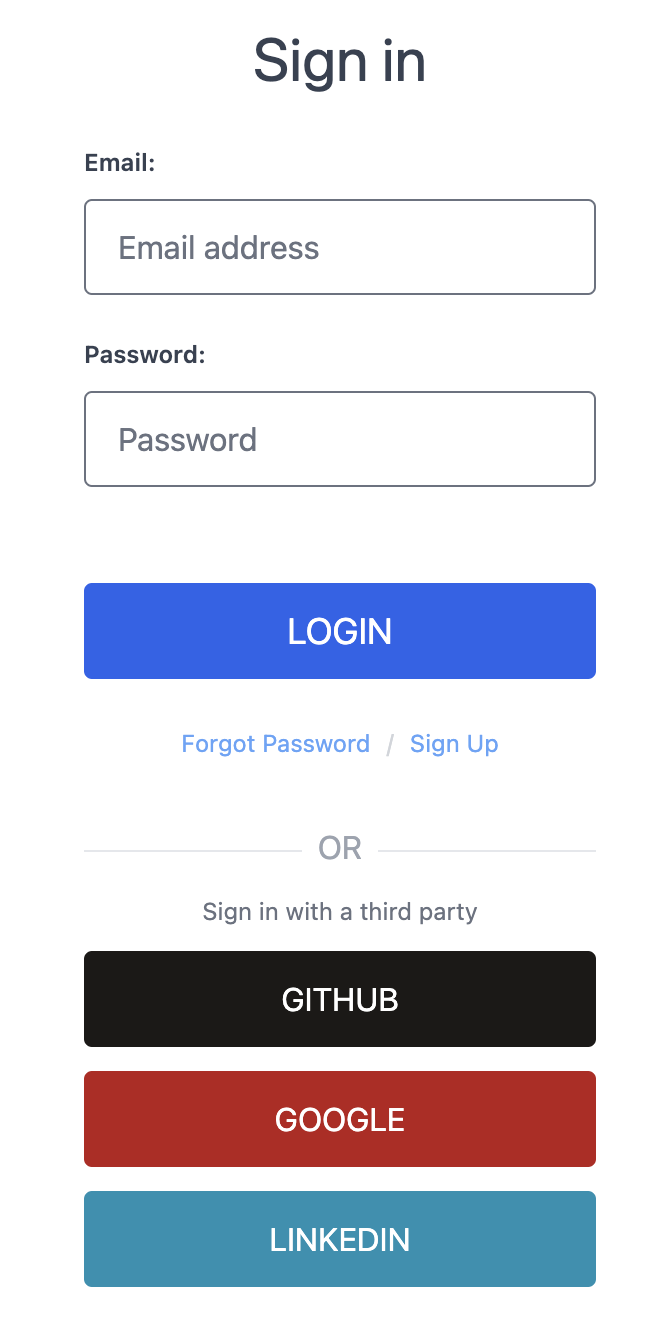
Go to [findwork.dev/developers/](https://findwork.dev/developers/) and "Sign Up"
* Sign up with email/password.
* Or continue with social media authentication.
 ## Generate API Key
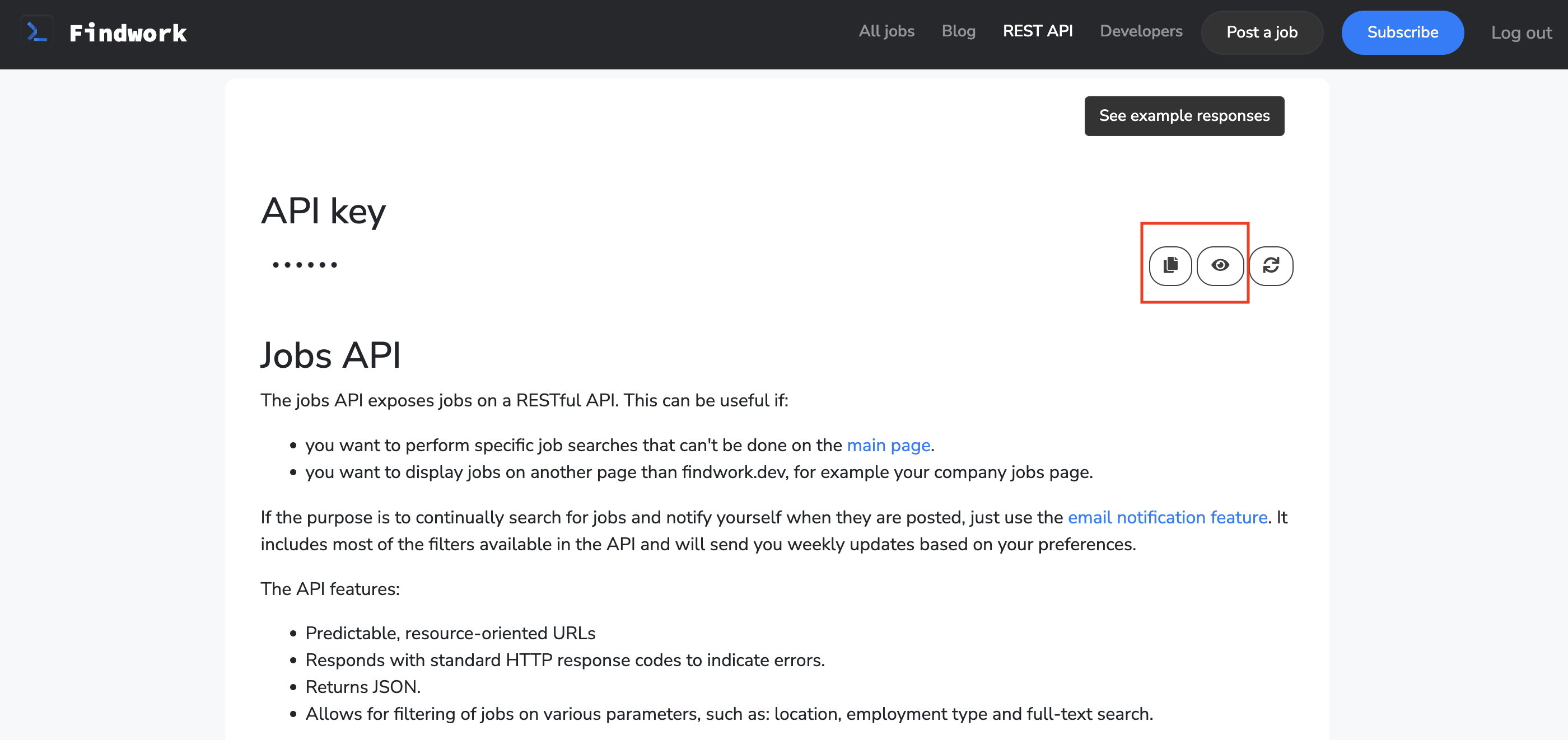
1. Copy the generated API key.
2. Store it securely - you won't be able to see it again.
## Generate API Key
1. Copy the generated API key.
2. Store it securely - you won't be able to see it again.
 Keep your API key secure - it grants access to your account data.
## Add to Anything project
1. In your Anything project, type `/` in chat.
2. Select "FindWork" from the menu.
1. Paste your API key into "FINDWORK\_API\_KEY."
Need new credentials? Regenerate in the FindWork dashboard.
You can now use prompts with the integration to access job listings and freelance opportunities.
Example prompts:
* `Search for jobs in my area using /FindWork`
* `Get details about a specific job listing using /FindWork`
* `Create a job board app with /FindWork`
The API limits how often your app can fetch data. Ask the agent to show a helpful message if the connection fails.
Example prompt for optimization:
```
When using /FindWork, save the job listings so my app doesn't have to fetch it again
```
Your FindWork integration is ready! Use `/FindWork` in chat to access job listings and freelance opportunities.
Keep your API key secure - it grants access to your account data.
## Add to Anything project
1. In your Anything project, type `/` in chat.
2. Select "FindWork" from the menu.
1. Paste your API key into "FINDWORK\_API\_KEY."
Need new credentials? Regenerate in the FindWork dashboard.
You can now use prompts with the integration to access job listings and freelance opportunities.
Example prompts:
* `Search for jobs in my area using /FindWork`
* `Get details about a specific job listing using /FindWork`
* `Create a job board app with /FindWork`
The API limits how often your app can fetch data. Ask the agent to show a helpful message if the connection fails.
Example prompt for optimization:
```
When using /FindWork, save the job listings so my app doesn't have to fetch it again
```
Your FindWork integration is ready! Use `/FindWork` in chat to access job listings and freelance opportunities.