> ## Documentation Index
> Fetch the complete documentation index at: https://www.anything.com/docs/llms.txt
> Use this file to discover all available pages before exploring further.
# IPstack
> Access IP geolocation data
IPstack API provides accurate IP geolocation data, including location, timezone, and connection details, perfect for building location-aware applications.
## Overview
Sign up for an IPstack account
Generate your IPstack API key
Add your API key to Anything's secrets
## Account Creation
Go to [ipstack.com](https://ipstack.com/) and click "Get Free API Key"
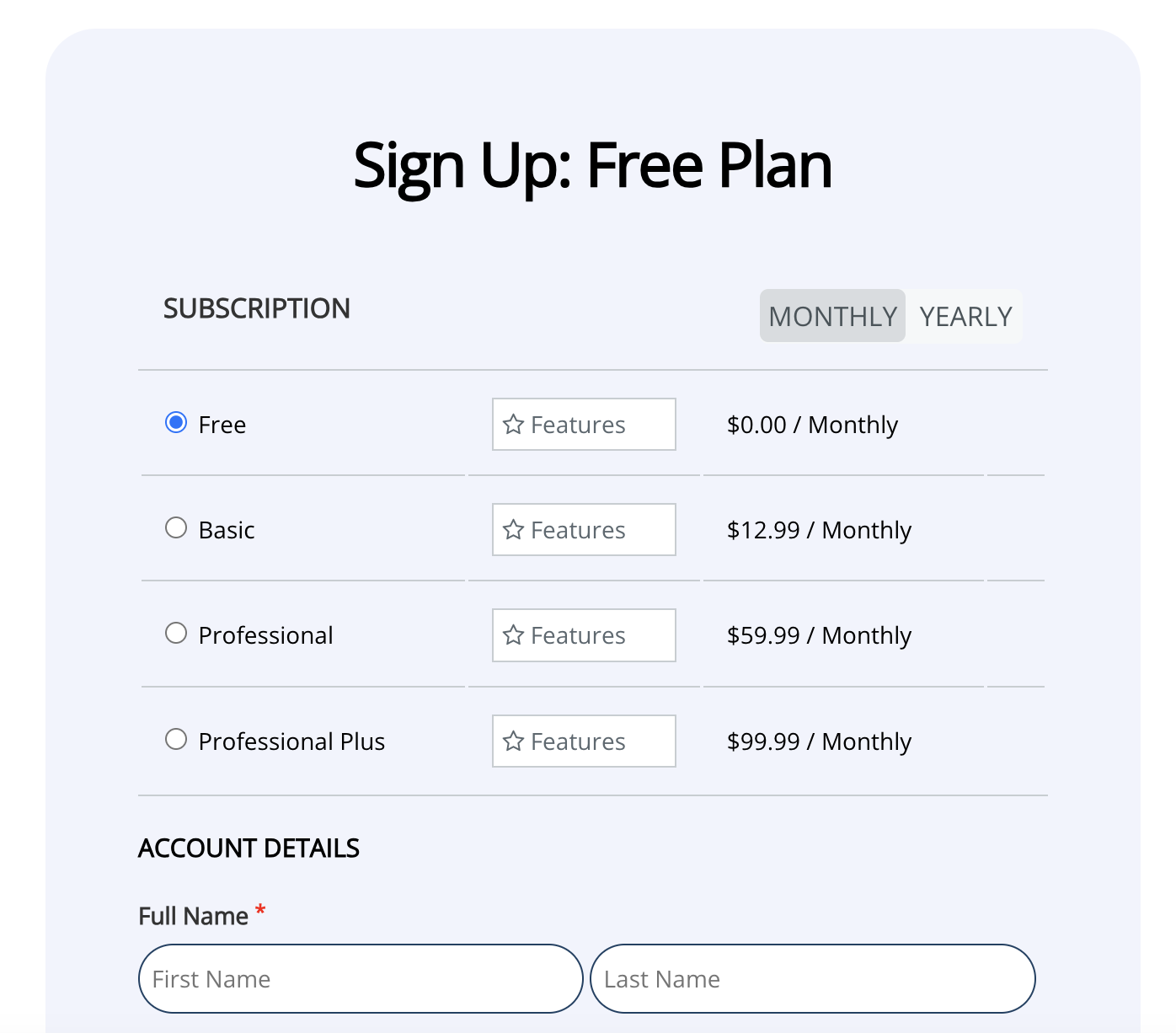 * Fill in your email and password
* Select your plan
* Complete the verification process
## Generate API Key
1. Log in to your IPstack account
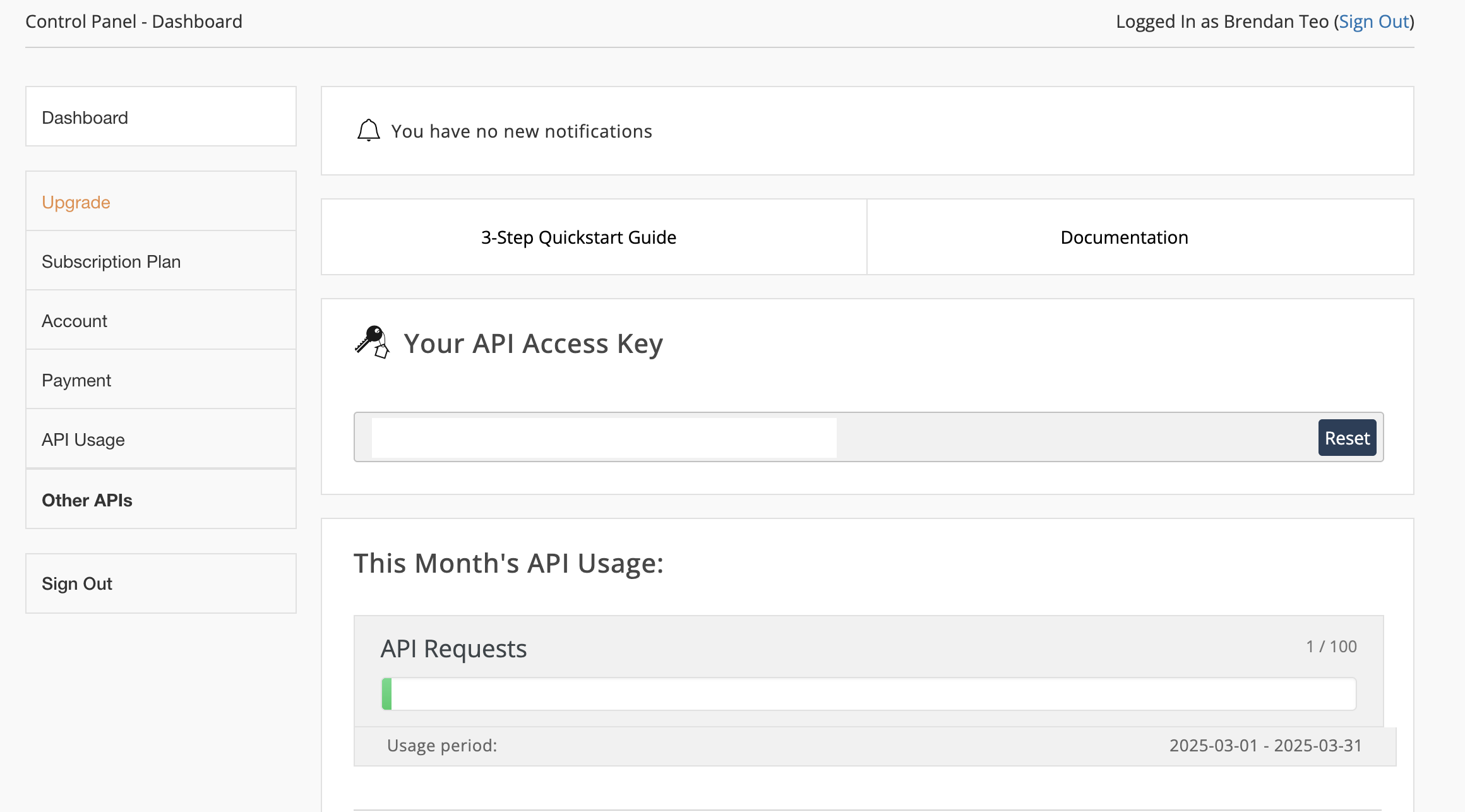
2. Your API key will be displayed on the dashboard
1. Copy the API key from your dashboard
* Fill in your email and password
* Select your plan
* Complete the verification process
## Generate API Key
1. Log in to your IPstack account
2. Your API key will be displayed on the dashboard
1. Copy the API key from your dashboard
 Keep your API key secure - it grants access to your IPstack account and quota
## Add to Anything project
1. In your Anything project, type `/` in the chat
2. Select "IPstack" from the menu
1. Paste your API key into the "IPSTACK\_API\_KEY" field
Need a new key? Find it in your IPstack dashboard.
You can now use prompts with the integration to access IP geolocation data.
Some examples:
* `Get location data for an IP using /IPstack`
* `Create a visitor tracking system with /IPstack`
* `Build a location-based service using /IPstack`
The API limits how often your app can fetch data. If your app loads the same data often, ask the agent to save it locally so it doesn't re-fetch every time.
Example prompt for optimization:
```
When using /IPstack, save the geolocation data so my app doesn't have to fetch it again
```
Your IPstack integration is now ready! Use the `/IPstack` command in chat to access IP geolocation data.
Keep your API key secure - it grants access to your IPstack account and quota
## Add to Anything project
1. In your Anything project, type `/` in the chat
2. Select "IPstack" from the menu
1. Paste your API key into the "IPSTACK\_API\_KEY" field
Need a new key? Find it in your IPstack dashboard.
You can now use prompts with the integration to access IP geolocation data.
Some examples:
* `Get location data for an IP using /IPstack`
* `Create a visitor tracking system with /IPstack`
* `Build a location-based service using /IPstack`
The API limits how often your app can fetch data. If your app loads the same data often, ask the agent to save it locally so it doesn't re-fetch every time.
Example prompt for optimization:
```
When using /IPstack, save the geolocation data so my app doesn't have to fetch it again
```
Your IPstack integration is now ready! Use the `/IPstack` command in chat to access IP geolocation data.