
Overview
Create Account
Sign up for a Judge0 CE account
Get API Key
Generate your Judge0 CE API key
Copy into Anything
Add your API key to Anything’s secrets
Account Creation
1
Select your pricing plan
Go to https://rapidapi.com/judge0-official/api/judge0-ce/pricing and select the pricing plan you want.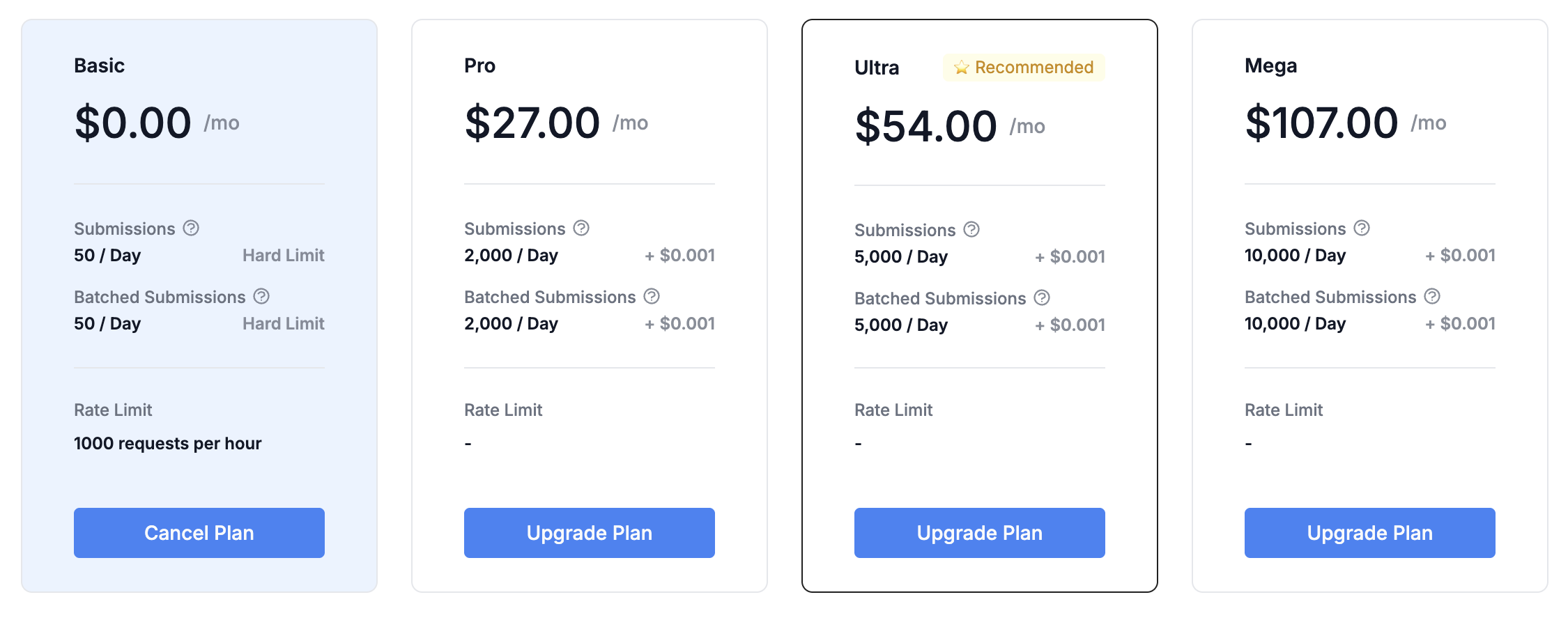
2
Register for an Account
- Fill in your name, email, and password
- Select your usage purpose
- Accept the terms of service
Generate API Key
1
Access Your Dashboard
- Log in to your RapidAPI account
- Navigate to the “API” section at https://rapidapi.com/judge0-official/api/judge0-ce/
2
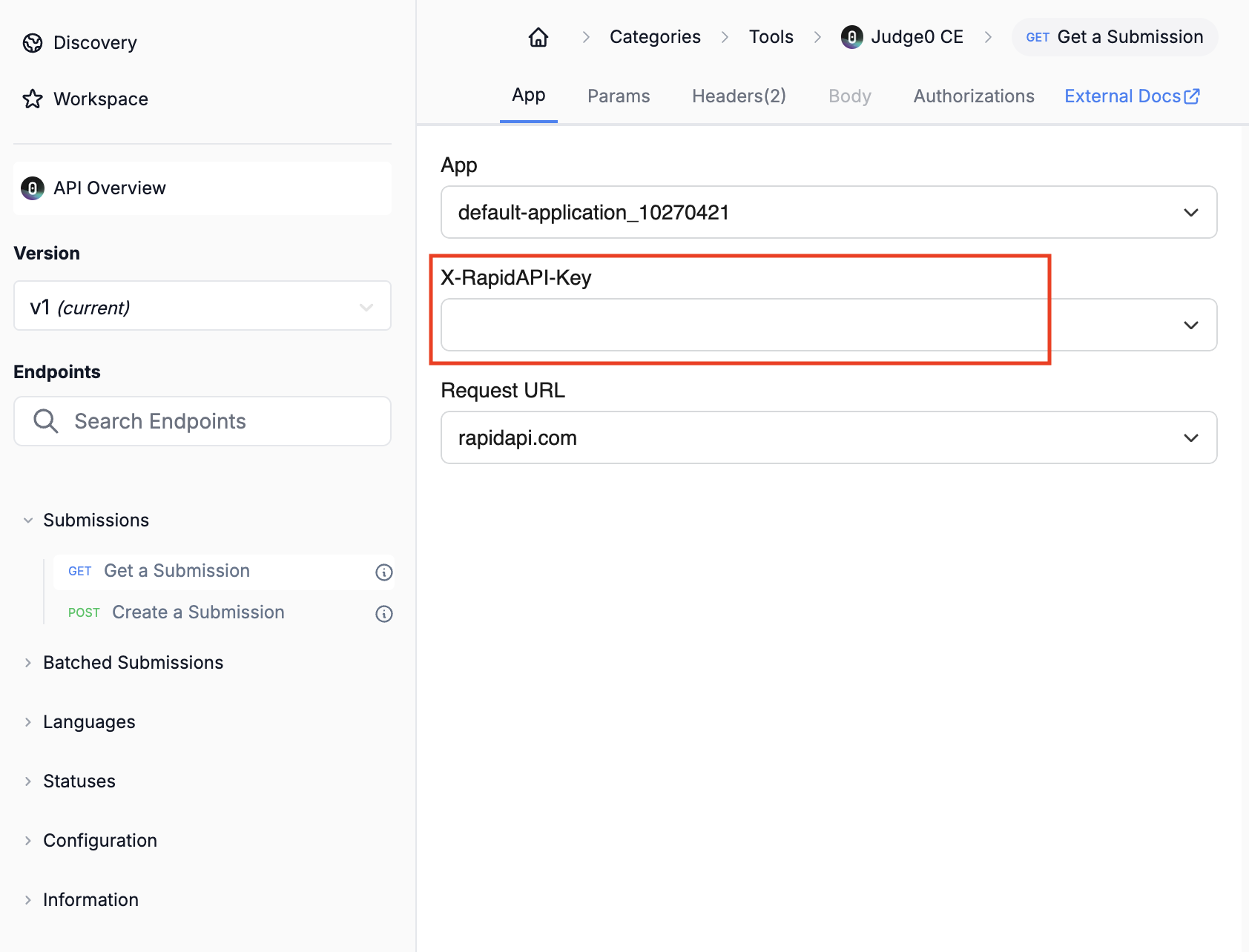
Find your API Key
- Select any endpoints in the left column.
- Copy the API Key.
- Store it securely for use in your applications.
Add to Anything project
1
Add the integration
- In your Anything project, type
/in the chat - Select “Judge0 CE” from the menu
2
Add your API key
- Paste your API key into the “RAPID_API_KEY” field
3
Use it
You can now use prompts with the integration to execute code.Some examples:
Run this Python code using /Judge0CEBuild a coding challenge platform with /Judge0CEBuild an online code editor using /Judge0CE