
Overview
Create Account
Sign up for a Pexels account
Get API Key
Generate your Pexels API key
Copy into Anything
Add your API key to Anything’s secrets
Account Creation
1
Visit Pexels Website
Go to pexels.com and click “Join” in the top right corner
2
Choose Signup Method
- Sign up with email/password
- Or continue with Google authentication
Generate API Key
1
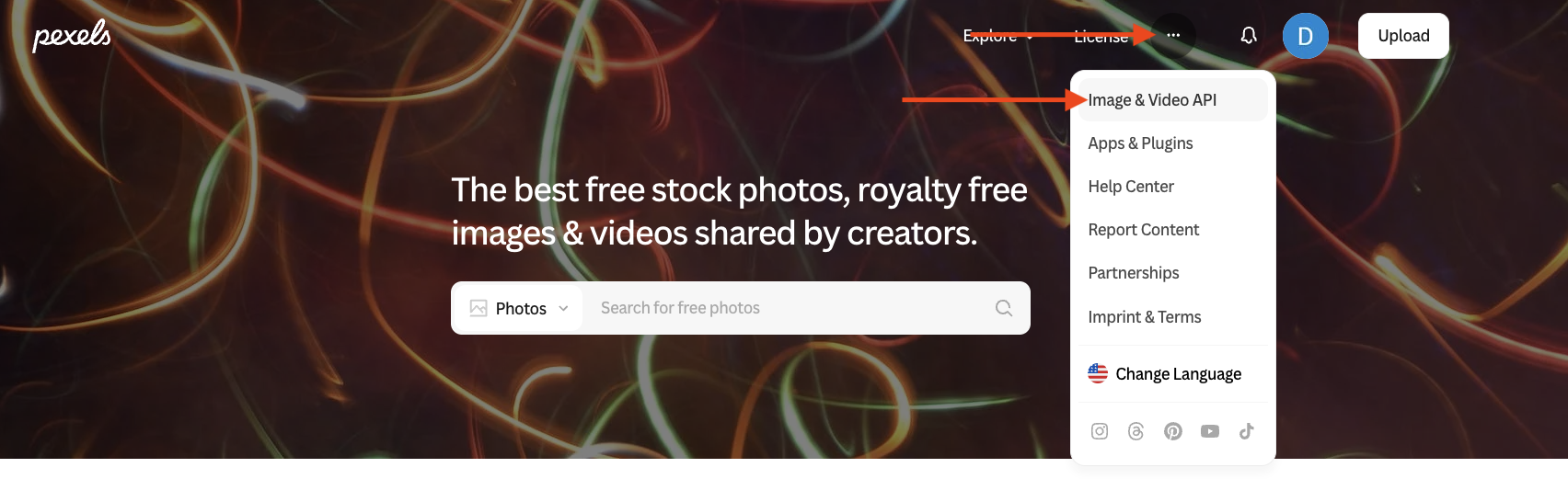
Access Account Settings
- Click the three-dot menu next to your profile avatar
- Select “Images & Video API” from the dropdown
2
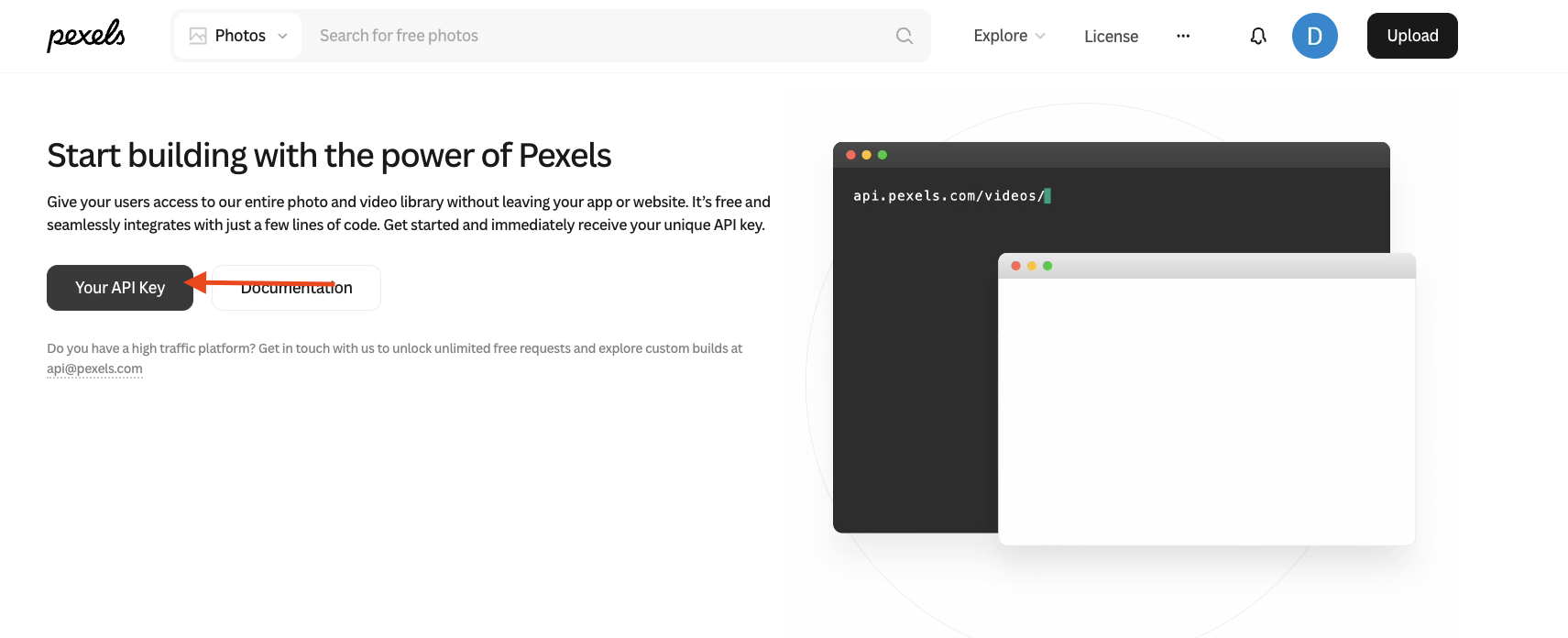
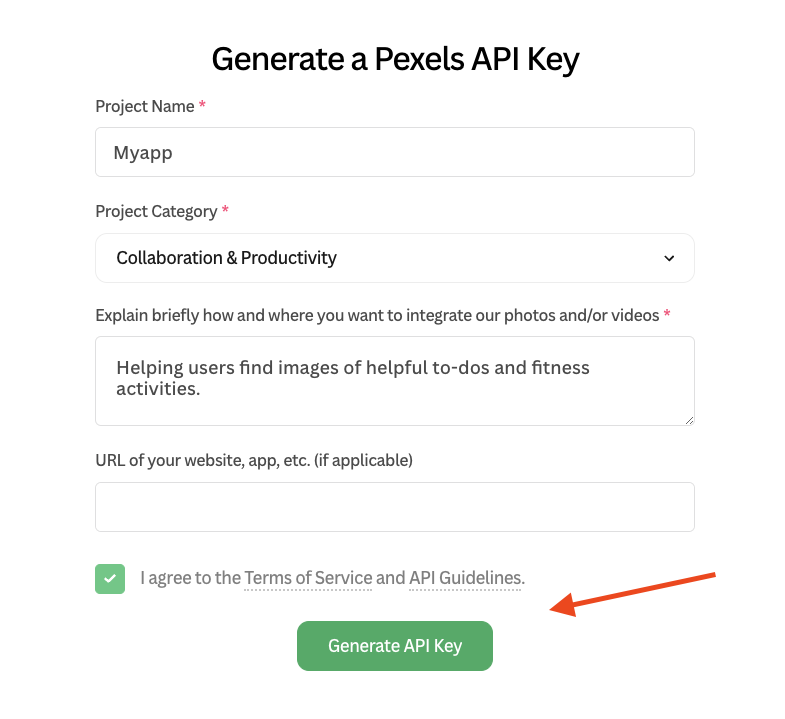
Create New Token
- Click “Your API Key” button
- Generate new token for Anything integration
3
Copy Your Token
- Copy the generated API key
- You can find this key again from your Pexels dashboard
Add to Anything project
1
Add the integration
- In your Anything project, type
/in the chat - Select “Pexels” from the menu and send a messsage
2
Add your API key
- Paste your Pexels API key into the “Pexels API Key” field
3
Use it
You can now use prompts with the integration to add stock photos.Some examples:
Make the homepage banner a photo of a retailer with /PexelsFind me a photo of a dog playing fetch with /Pexels and add itMake a gallery of product images with /Pexels