
Overview
Create Account
Sign up for an SFMTA developer account
Get API Key
Generate your SFMTA API key
Copy into Anything
Add your API key to Anything’s secrets
Account Creation
1
Visit SFMTA Developer Portal
Go to https://511.org/open-data and click “Request a Token”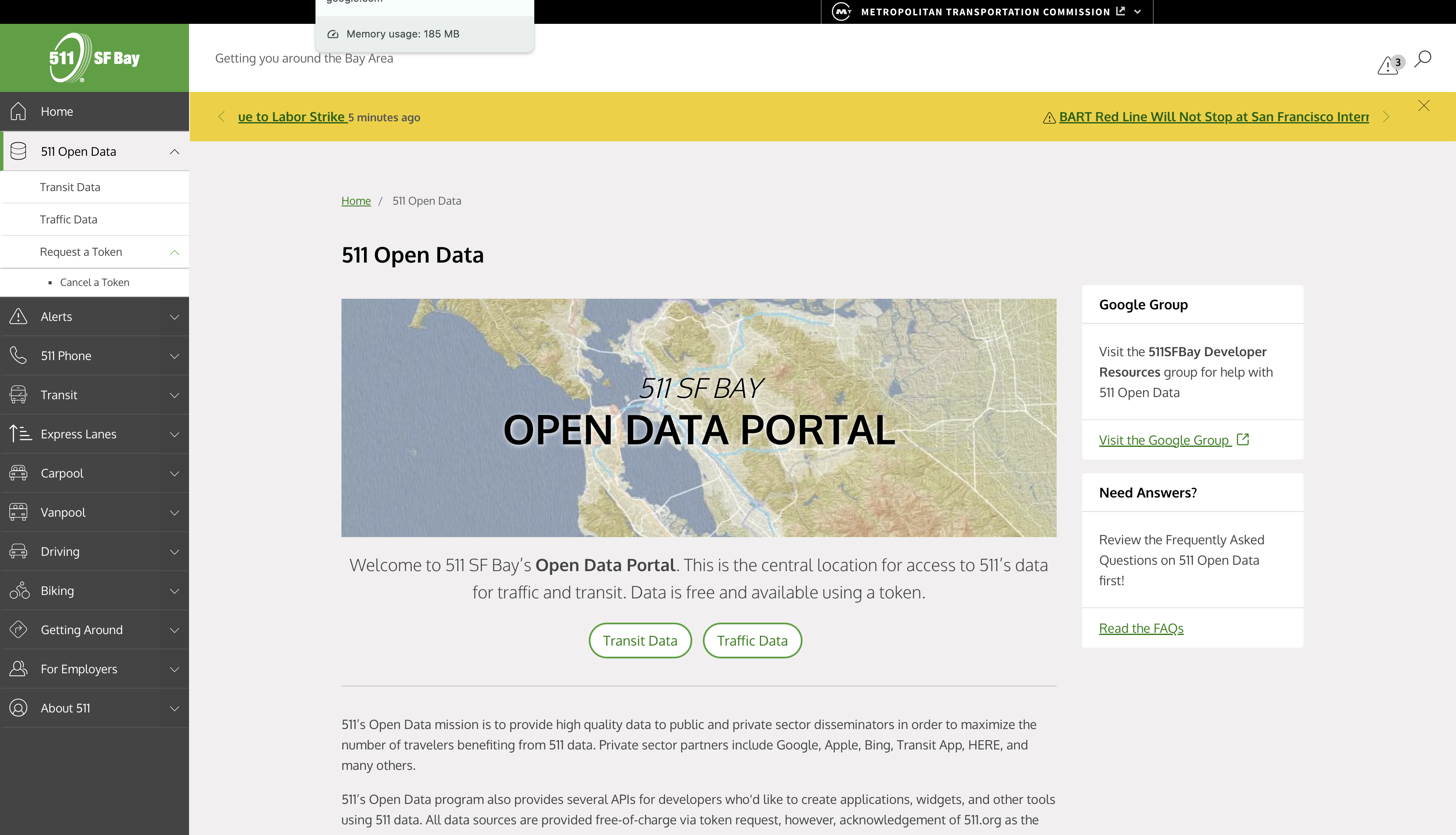
2
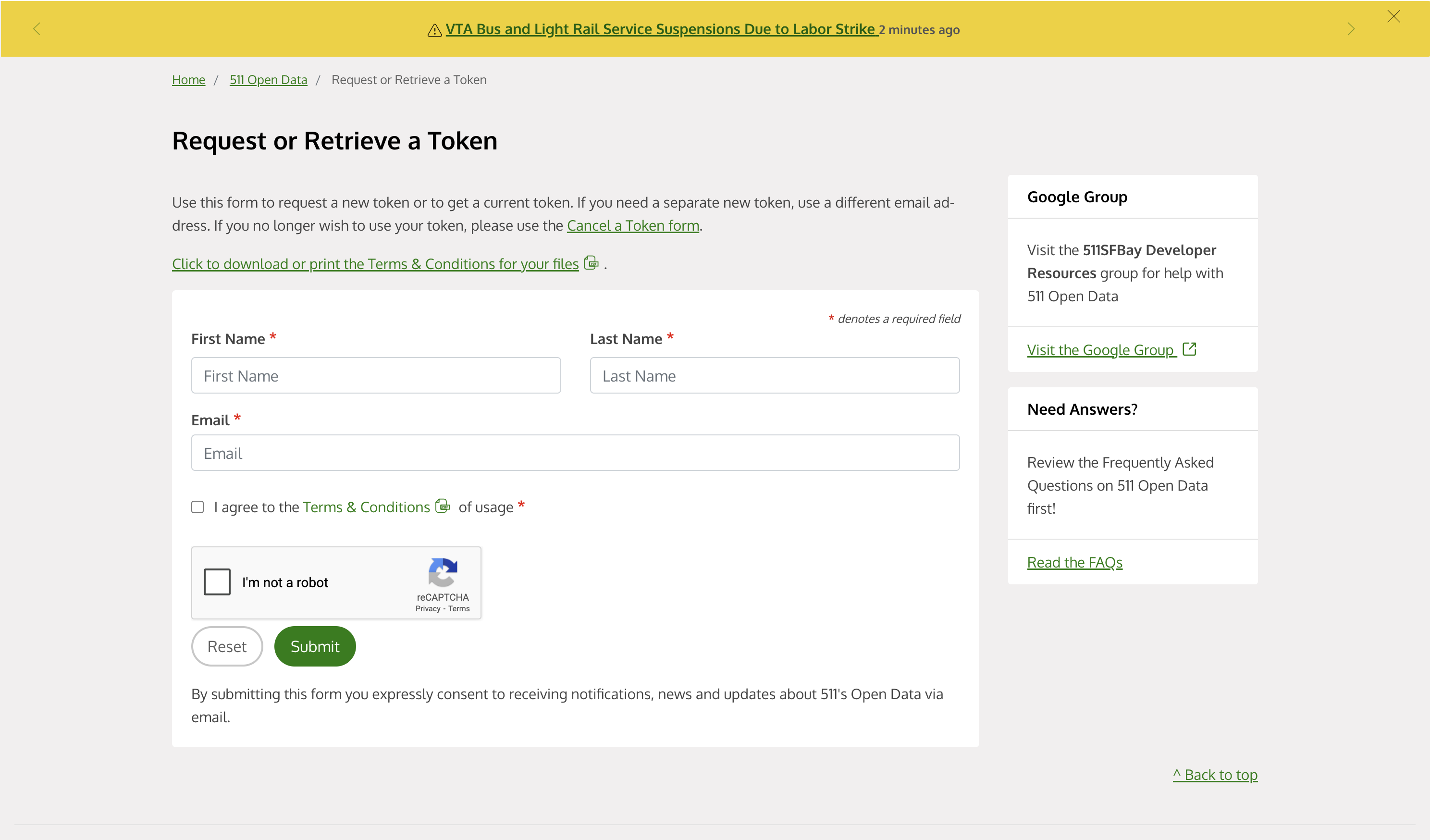
Register for an Account
- Fill in your developer information
- Describe your intended API usage
- Complete the verification process
Generate API Key
1
Copy Your API Key
- The requested token will be found in the sent email
- Copy the token found in the email
Add to Anything project
1
Add the integration
- In your Anything project, type
/in the chat - Select “SFMTA” from the menu
2
Add your API key
- Paste your API key into the “SFMTA_API_KEY” field
3
Use it
You can now use prompts with the integration to access transit data.Some examples:
Get real-time bus arrivals using /SFMTAShow transit routes with /SFMTACreate a transit tracker using /SFMTA